Reiseenglisch auf dein Handy
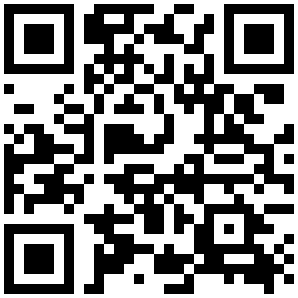
Frisch dein Reiseenglisch auf – für Flughafen, Hotel, Restaurant, Einkaufen und Notfall. Ein Tipp pro Tag genügt. Kostenlos, mit kostenlosem Konto, funktioniert auch ohne Internet.
- QR-Code scannen oder die Adresse oben in Safari öffnen.
- Unten auf das Teilen-Symbol tippen (Quadrat mit Pfeil nach oben).
- Auf Zum Home-Bildschirm tippen, dann Hinzufügen.
- Fertig – das HelloAbroad-Symbol liegt jetzt auf dem Startbildschirm.
- QR-Code scannen oder die Adresse oben in Chrome öffnen.
- Oben rechts auf das Menü tippen (drei Punkte ⋮).
- Auf App installieren bzw. Zum Startbildschirm hinzufügen tippen.
- Bestätigen – das HelloAbroad-Symbol liegt jetzt auf dem Startbildschirm.
Kein App-Store, keine Werbung – nur ein kostenloses Konto. Der Lernfortschritt bleibt allein auf dem Gerät. Ein Tipp auf das Symbol öffnet die App wie jede andere – auch offline im Flugzeug oder im Ausland.
Offline nutzbar · kostenlos · kostenloses Konto · Fortschritt bleibt auf dem Gerät
Brush up your travel English – for the airport, hotel, restaurant, shopping and emergencies. One tip a day is enough. Free, with a free account, works offline too.
- Scan the QR code or open the address above in Safari.
- Tap the Share icon at the bottom (square with an up arrow).
- Tap Add to Home Screen, then Add.
- Done – the HelloAbroad icon is now on your home screen.
- Scan the QR code or open the address above in Chrome.
- Tap the menu in the top right (three dots ⋮).
- Tap Install app or Add to Home screen.
- Confirm – the HelloAbroad icon is now on your home screen.
No app store, no ads – just a free account. Your progress stays on the device only. A tap on the icon opens it like any other app – offline on the plane or abroad, too.
Works offline · free · free account · progress stays on the device